Upgrade FCP-Suite to a Core-HA Architecture
Supported only in the FCP-Suite edition.
Introduction
In real FCP-Suite deployments, some customers run large-scale clusters and rely on FCP-Suite to schedule their HPC workloads.
All core FCP-Suite services depend on the Core node. Since no machine can be guaranteed to never fail, FCP-Suite introduced Core-HA in version 24.11. When the primary Core node fails, the secondary Core node can take over and continue providing cluster scheduling services.
What is Core-HA?
In an FCP-Suite architecture, there is one Core node and one Monitor node. The Monitor node is primarily responsible for monitoring, while the Core node carries the main functions such as cluster management and job scheduling. Core-HA means those core functions are provided in an active-standby model across two Core nodes. When the primary Core node fails, the standby Core node immediately takes over.
Note: In the FCP-Suite architecture, common services also run on the Core node. As a result, Core-HA effectively includes Common-HA, but it does not include Monitor-HA.
Prerequisites
To ensure Core-HA works as expected, the customer must provide at least three nodes so that when the primary node fails, the stack can automatically fail over to the secondary node and continue running.
- An existing FCP-Suite deployment with one Core node and one Monitor node
- This existing Core node becomes the
primary Core nodein Core-HA. - In addition to monitoring, the existing Monitor node also serves as the
witnessto arbitrate failover between the primary and secondary nodes.
- This existing Core node becomes the
- A
secondary Core nodewith the same specification as the current Core node - A VIP (optional). When needed, the VIP can point to the real IP of either the
primary Core nodeor thesecondary Core node. There are several prerequisites for using a VIP:- The VIP must be a private-network IP that is unique in the network and does not conflict with any other IP address.
- The VIP must be routable in the network so it can move between physical hosts or VMs and be reached through network devices such as routers and switches.
- In most cases, the VIP and the physical server or VM of the Core node must be in the same subnet so ARP broadcasts can propagate in the local network.
- If you want to use a VIP across subnets, meaning the VIP and the physical server or VM of the Core node are not in the same subnet, configure routing correctly so ARP broadcasts for the VIP can be transmitted across subnets and traffic can flow properly.
- An
external NTP service: In the Core-HA architecture, the customer must provide anexternal NTP serviceto keep system time consistent across nodes. If there is noexternal NTP service, refer to Deploy a Local NTP Service
Preparation
Before starting the Core-HA upgrade, complete the following preparation:
-
Prepare the
secondary Core nodeand keep its node configuration consistent with theprimary Core node. -
Install the
secondary Core node.-
Obtain the FCP installation package.
-
Extract it into
/opton thesecondary Core node.cd /opt
tar -zxvf fastone-fcp-{VERSION}.tgz -
Enter the
installdirectory and run:cd fastone-{VERSION}/install
sudo ./install-fcp.sh -r core-follower
-
-
Prepare the
LICENSEfor thesecondary Core node, because as of version 24.11 theLICENSEis still tightly bound to the local machine code.[!NOTE]
The
LICENSEfor thesecondary Core nodemust be generated from the machine code of thatsecondary Core node.
Start Configuration
Before starting the configuration, make sure Custom NTP Server List is configured under Basic Configuration. If Custom NTP Server List is not configured, the upgrade is very likely to fail.
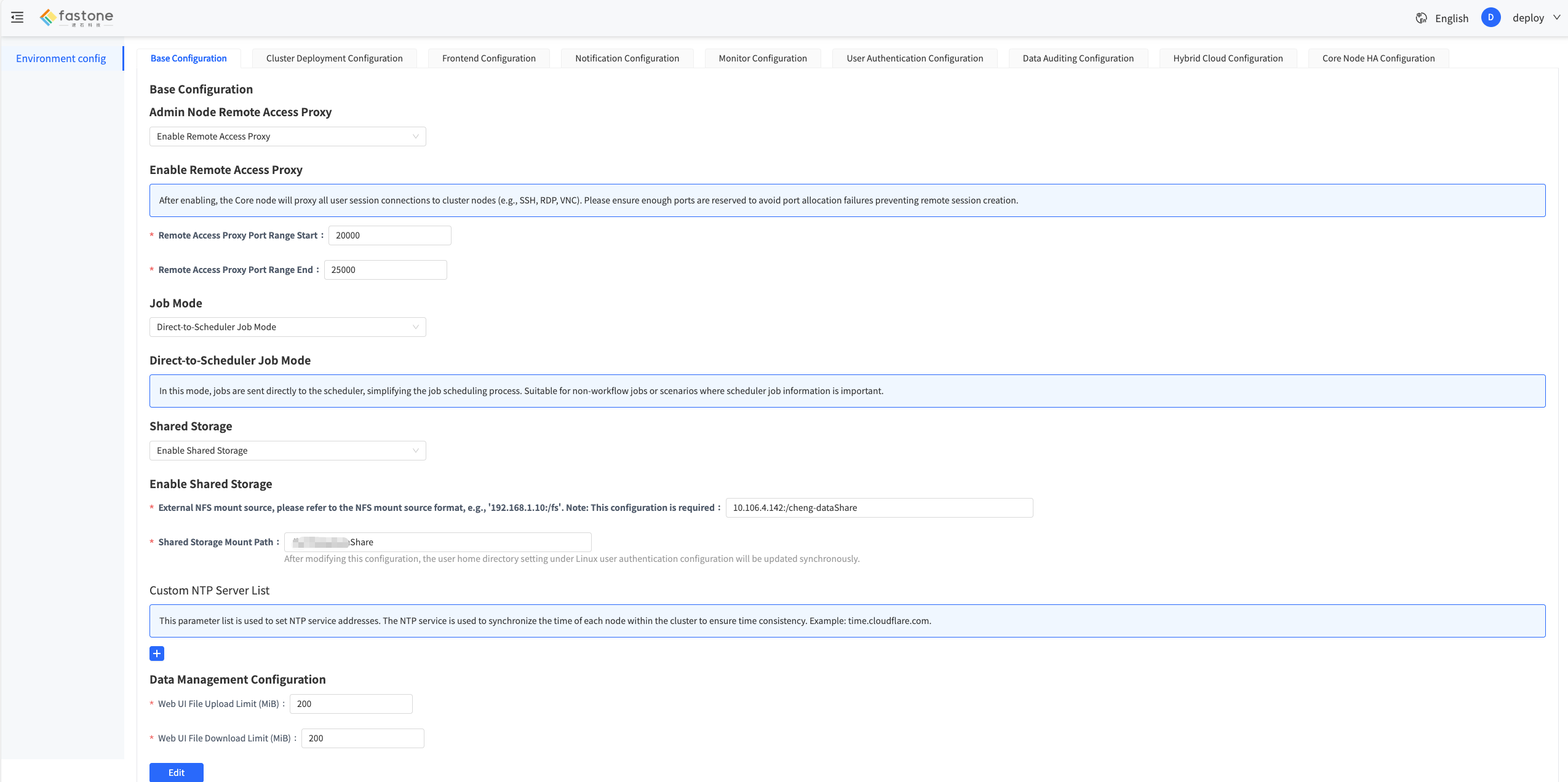
First, log in to the current FCP-Suite platform as the configuration administrator (deploy) and switch to the Core Node HA Configuration tab, as shown below:

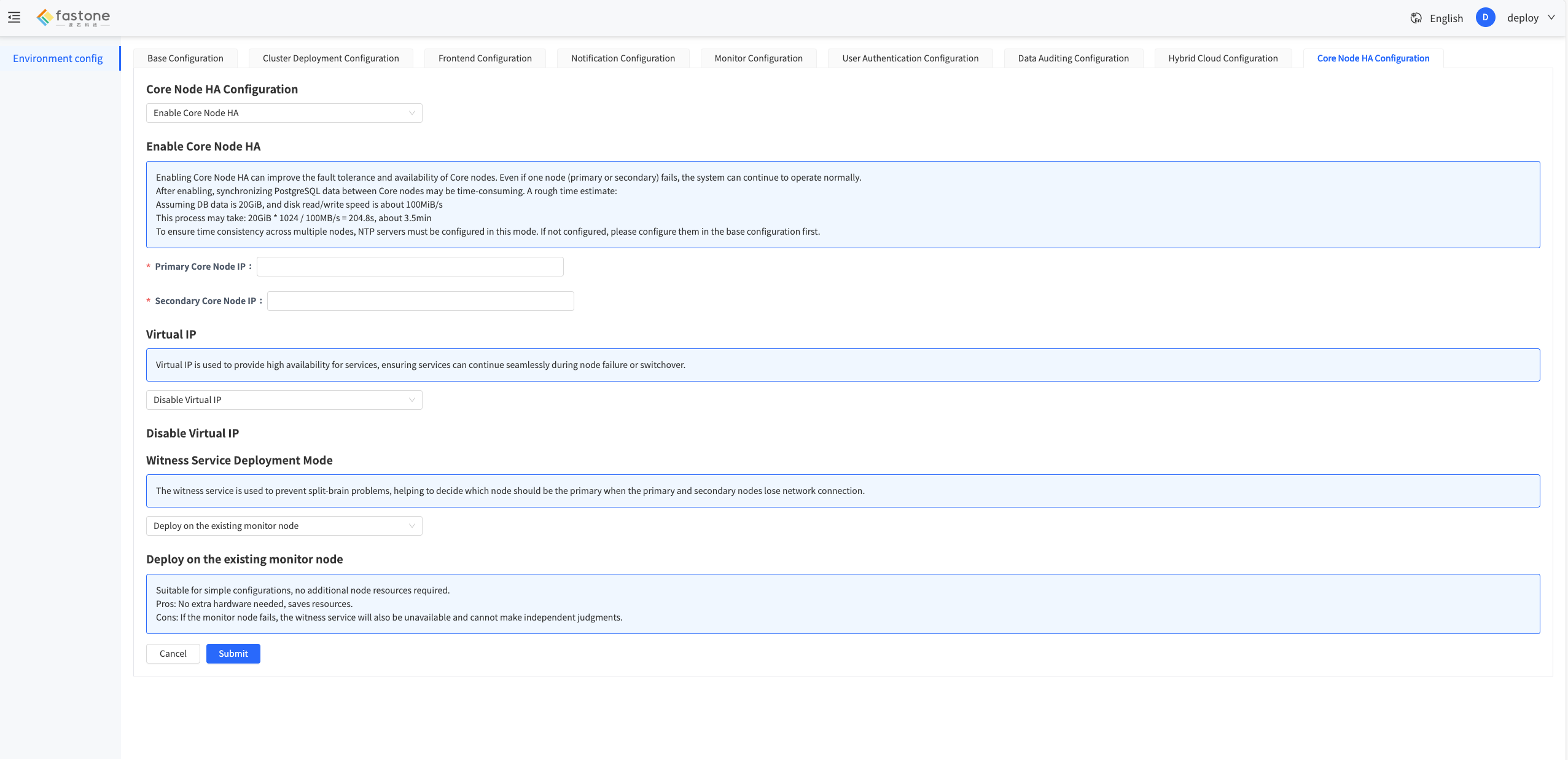
Then click Edit, enable Core node HA, and fill in the primary Core node IP and secondary Core node IP as shown below:
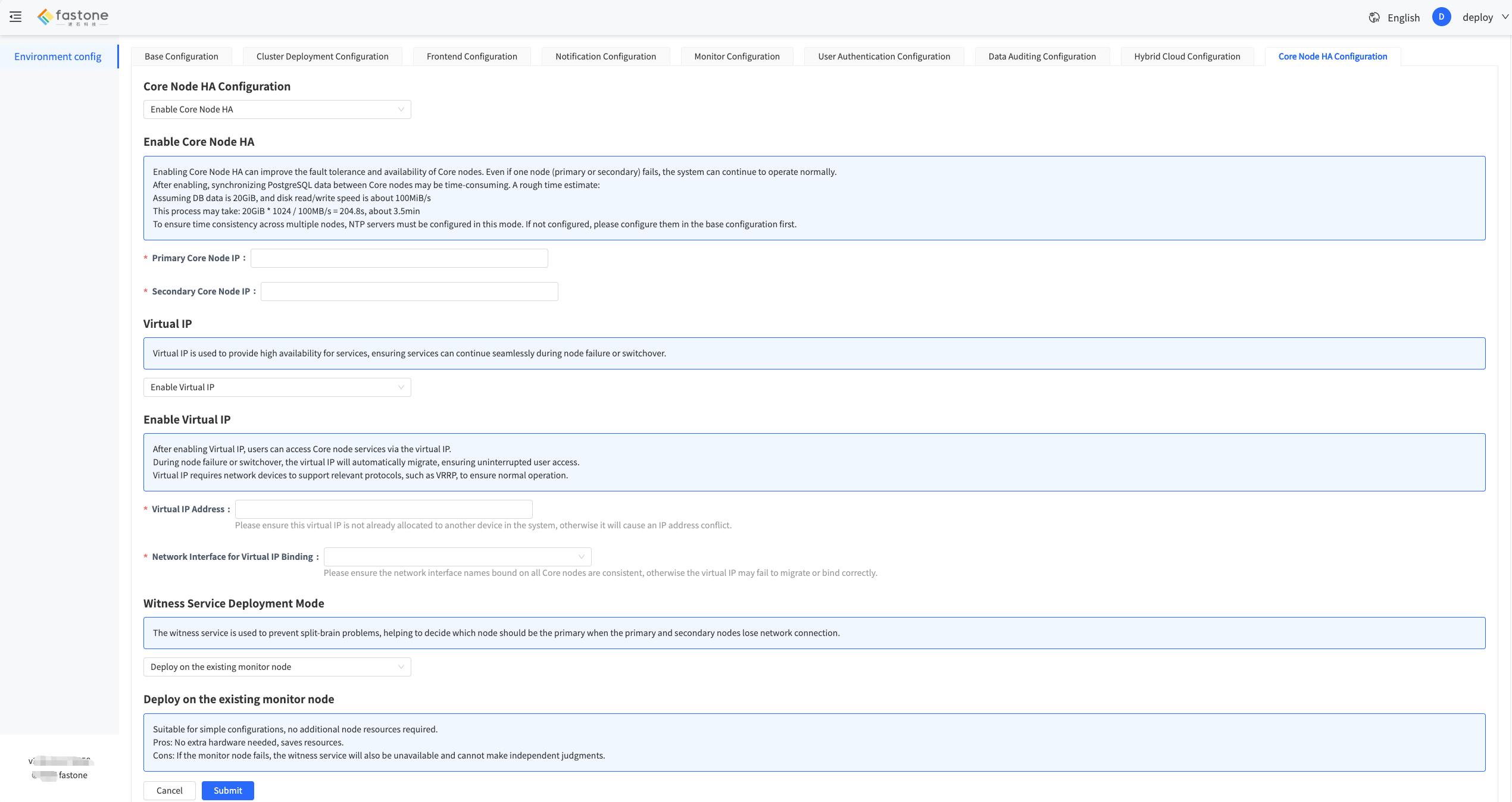
If the customer can provide a VIP, select Enable virtual IP, then fill in the virtual IP and choose the network interface. Both the node IP and the virtual IP use this interface, as shown below:
After editing is complete, click Submit to start the Core-HA configuration. Wait for the process to finish. It usually takes about 5 to 15 minutes.
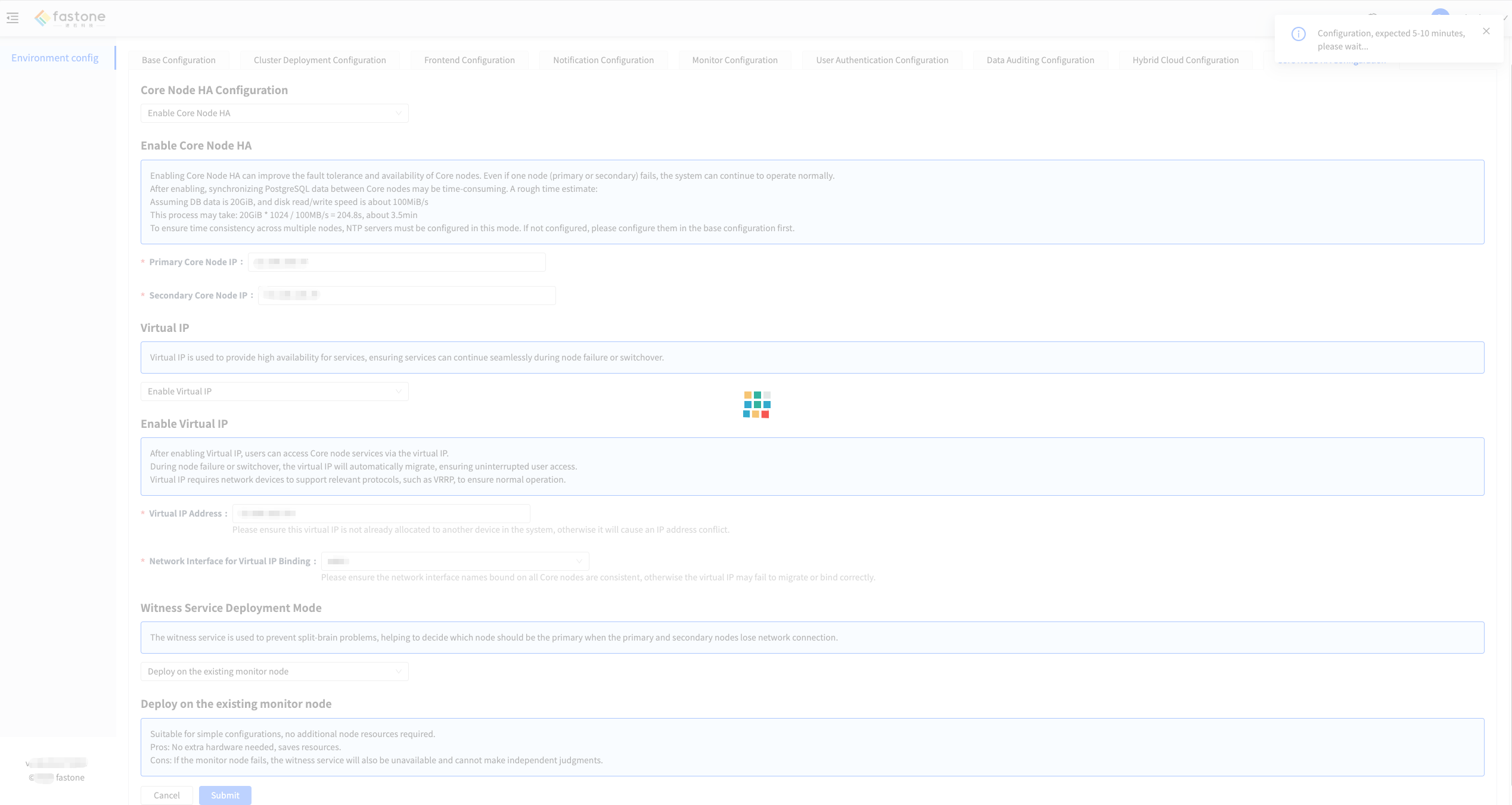
When the loading indicator disappears, the Core-HA configuration is complete. Open the IP address of the secondary Core node in a browser, log in, and import the FCP-Suite LICENSE generated from the machine code of the secondary Core node.
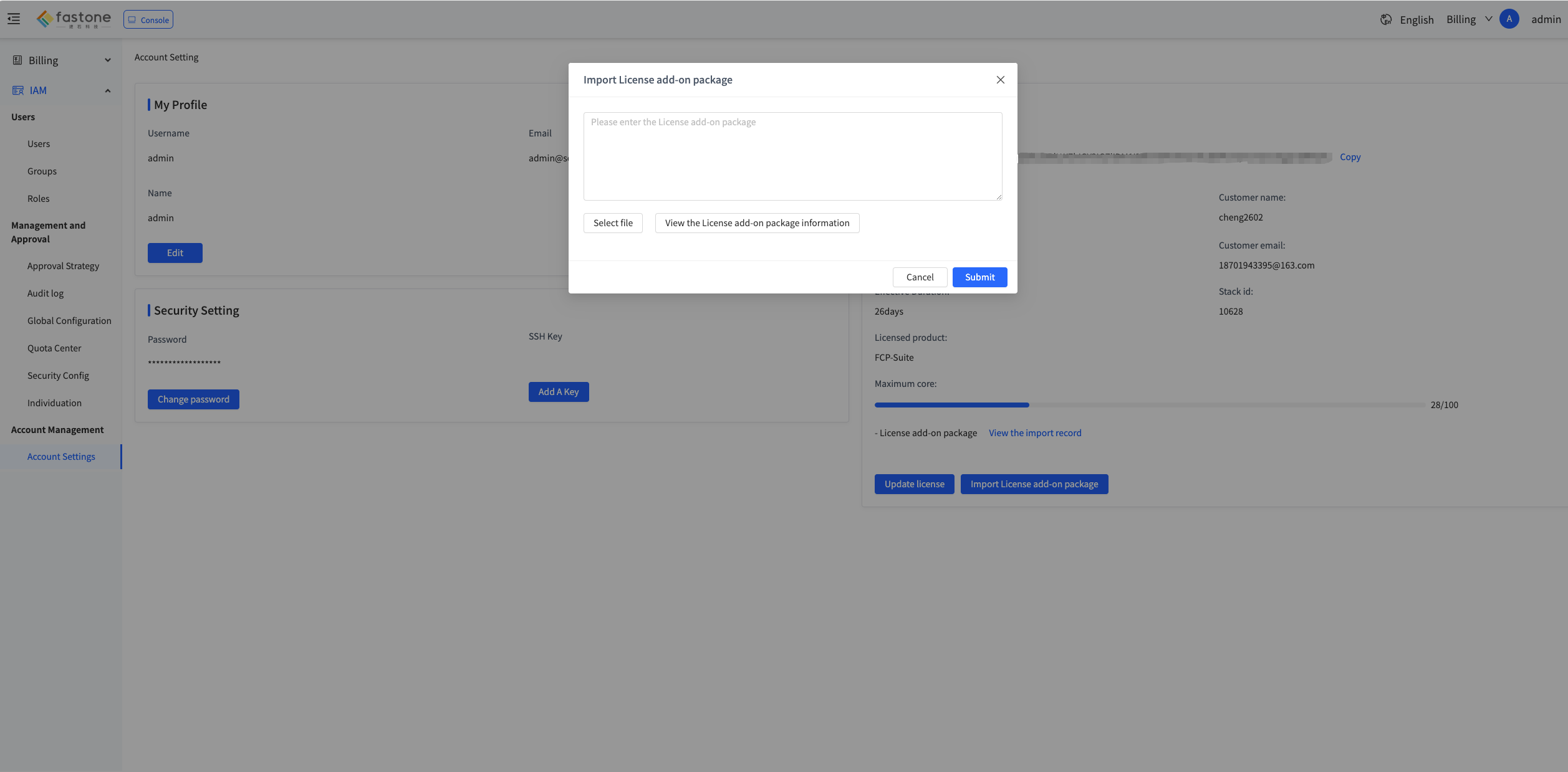
The displayed quota usage of the secondary Core node license usually has a delay of about 10 minutes.
Finally, use Core-HA Status and Role Check to verify that all services are healthy. If everything is normal, Core-HA is enabled successfully.
Configuration is now complete. If a VIP was configured, you can access the portal directly through the VIP.
[!CAUTION]
If any error occurs during the upgrade, the process rolls back to the non-Core-HA architecture. In that case, make sure to:
Clean up the
secondary Core nodesudo rm -rf /fastone-services
sudo docker rm -f fsconfReinstall the
secondary Core nodecd /opt/fastone-{VERSION}/install
sudo ./install-fcp.sh -r core-follower
Downgrade
Downgrade is not exposed in the UI. If a downgrade is required, refer to Core-HA Downgrade