Change Fastone Shared Storage (Recommended)
The fastone storage directory is a system directory used to store both platform data and user data, including job data and user-defined data.
Note:
This option controls whether shared storage is enabled for thefastonestorage directory. After shared storage is enabled, data under thefastonedirectory can be shared among all nodes in the cluster.
This setting is under Basic Configuration and provides the following options:
| Option | Description |
|---|---|
| Disable shared storage (default) | Nodes in the cluster cannot share data. |
| Enable shared storage | Nodes in the cluster can share data. |
After shared storage is enabled, changes made by users in platform
Data Managementare synchronized to the shared storage, and all cluster nodes can see those changes.
After you choose Enable shared storage, fill in the following fields:
| Option | Description |
|---|---|
| External NFS mount source | Use the standard NFS source format, for example 192.168.1.10:/fastone. This field is required when shared storage is enabled. |
| Target mount path for the Fastone directory | The target path where the Fastone shared storage will be mounted. The default is /fastone. If you need to change it, see the following steps. |
Customize the Mount Directory
This change has the following impact:
- Shared storage for existing clusters must be mounted manually.
- User home directories are usually located on shared storage. After the change, make sure the home directories point to the new shared storage.
Log In to the Platform
- Log in with the configuration administrator account.

Modify Shared Storage Settings
Changes to Fastone shared storage apply only to clusters created afterward.
For clusters that already exist in the system, manually mount the updated shared storage on the cluster nodes.
- Switch to the
Basic Configurationmenu.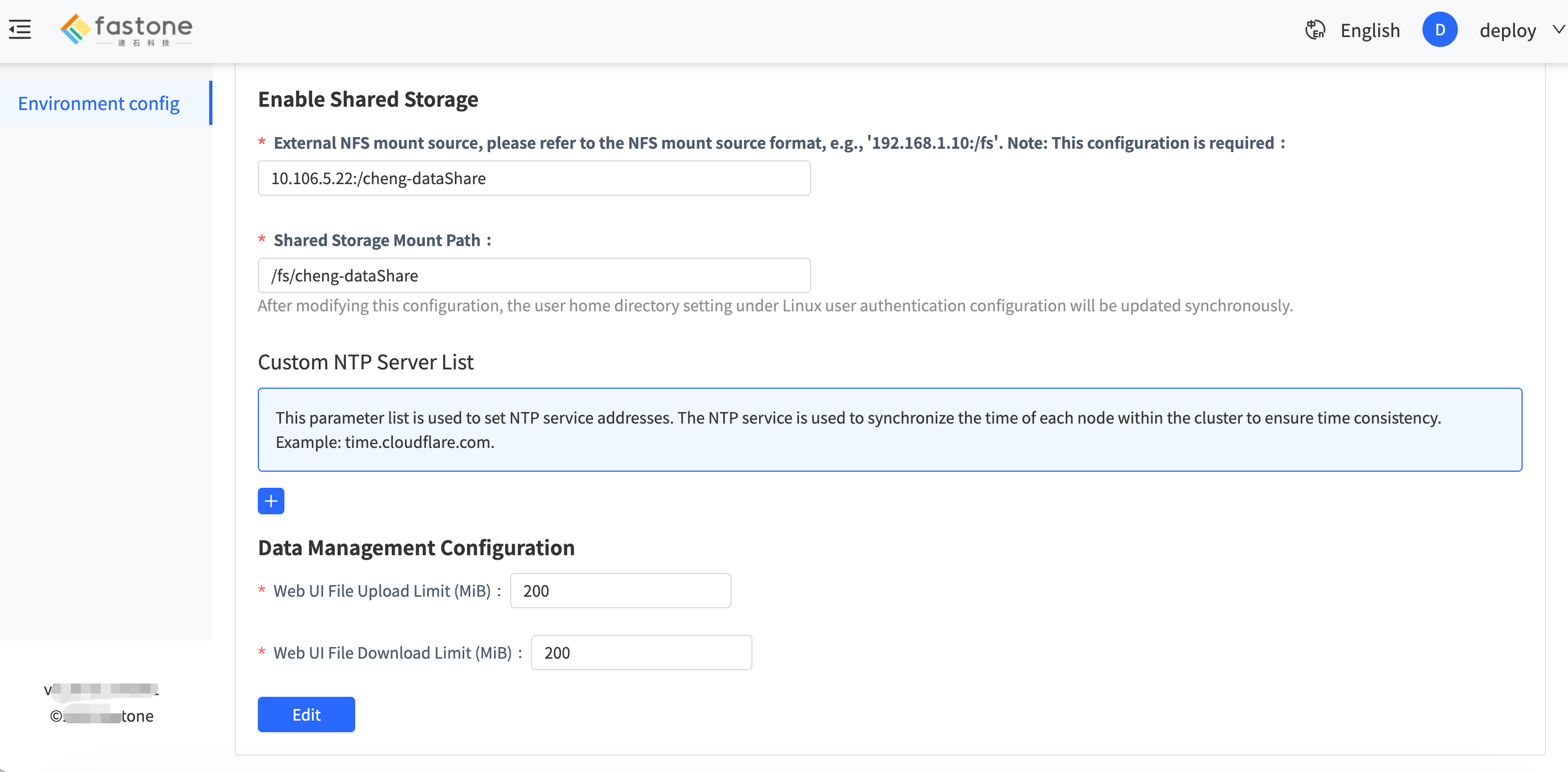
- Update the shared storage settings.
- Submit the changes and wait for the backend to apply them.
- Update the mounts on existing cluster nodes.
Update the Linux Home Directory for Existing Users
When User Authentication Configuration uses one of the following methods:
Built-in LDAPOIDC
make sure the Linux home directory for existing users is updated to the latest path. The steps are as follows:
- Log in to the platform as an administrator.
- Open the group management page.
- Select a group that contains existing users.
- Click the option to configure the user environment.
- Update the user directory. For example, if the mount path is
/fs-mount, the user home directory should be/fs-mount/users.