Patch Update Within the Same Version
Notes:
- Used to apply patch fixes in offline environments for already released versions
- In the
fcp-corescenario, management nodes include the Core node; in thefcp-suitescenario, management nodes include the Core and Monitor nodes - If files extracted from the installation package were modified before patching, those modifications will be overwritten by the patch
- The total patch time depends on the amount of environment data and the environment configuration; the minimum time is about 25 minutes
Offline scenario
- Notes:
- The update process loads images and backs up historical data, so sufficient free disk space is required
VERSIONrepresents the product version, for example24.05
Steps
-
Download the offline package, for example
fastone-fcp-VERSION.xxxxxx.tgz -
Log in to the management node and enter the installation directory. You can determine it from the
fsconfcontainer information. In the example below, the installation directory is/home/ubuntusudo docker inspect fsconf | grep FSCONF_YMIR_WORKDIR
# Output: FSCONF_YMIR_WORKDIR=/home/ubuntu/fastone-24.05/ymir-specs -
Copy the offline package to the installation path, for example under
/home/ubuntu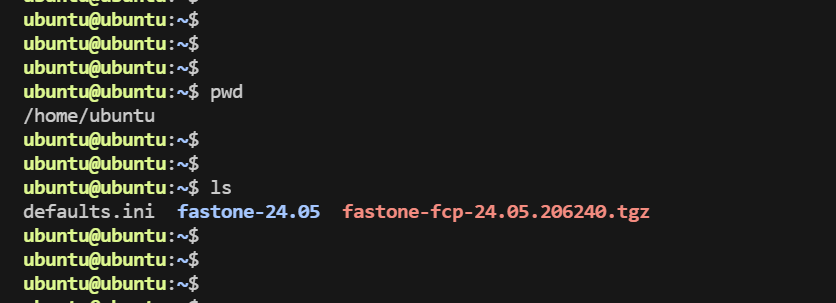
-
Back up the historical deployment environment data
sudo cp -R fastone-VERSION/ fastone-VERSION-backup/ -
Extract the offline package
# Extract the installation package to fastone-temp
sudo mkdir -p fastone-temp
sudo tar -xvf fastone-fcp-VERSION.xxxxxx.tgz -C ./fastone-temp

# Copy data
sudo cp fastone-temp/fastone-VERSION/install/fsconf/update-fsconf.sh fastone-VERSION/install/fsconf/update-fsconf.sh
sudo cp -R fastone-temp/fastone-VERSION/install/artifacts/ fastone-VERSION/install/
sudo cp -R fastone-temp/fastone-VERSION/ymir-specs/spec/ fastone-VERSION/ymir-specs/
sudo cp -R fastone-temp/fastone-VERSION/ymir-specs/upgrade/ fastone-VERSION/ymir-specs/

# If the environment contains custom modifications, run the following commands
sudo cp -R fastone-VERSION-backup/ymir-specs/spec/frontend/fastone/ui/custom fastone-VERSION/ymir-specs/spec/frontend/fastone/ui/
sudo cp fastone-VERSION-backup/ymir-specs/spec/frontend/fastone/notification/templates/MailTailStyle.ftl fastone-VERSION/ymir-specs/spec/frontend/fastone/notification/templates/
sudo cp fastone-VERSION-backup/ymir-specs/spec/notification/ymir.yaml fastone-VERSION/ymir-specs/spec/notification/ymir.yaml
sudo cp fastone-VERSION-backup/ymir-specs/spec/monitor/ymir.yaml fastone-VERSION/ymir-specs/spec/monitor/ymir.yaml -
Go to
./fastone-VERSION/ymir-specs/upgrade/patch_upgrade/ -
Back up all service data. This is optional but recommended. The backup process stops all services, and the backup duration depends on the data size and environment configuration.
# This script backs up /fastone-services data to /fastone-services-VERSION-xxxxxxxx.backup.tar
sudo bash backup.sh -
Run the upgrade script
sudo bash upgrade.sh -
Done
Rollback Steps
Rolling back data causes data generated after the backup to be lost. Evaluate carefully before proceeding.
Perform the following operations in order:
-
First, in the
ymir-specdirectory, run:sudo ymir down
sudo docker stop fsconf -
Restore the contents of
fastone-VERSION-backuptofastone-VERSIONsudo cp -R fastone-VERSION-backup/* fastone-VERSION
sudo docker start fsconf -
If you backed up service data, back up the current
/fastone-servicesdirectory, then extract/fastone-services-VERSION-xxxxxxxx.backup.tarto restore/fastone-servicescd /
sudo mv /fastone-services /fastone-services-rollback/
sudo tar xvf /fastone-services-VERSION-xxxxxxxx.backup.tar -
Go to
./fastone-VERSION/ymir-specs/upgrade/patch_upgrade/ -
Run the script
sudo bash upgrade.sh -
Rollback complete